💙 Wishlist app updates! 💙

This July, we released a few important enhancements to the Wishlist app that will improve your setup experience:
Wishlist Import
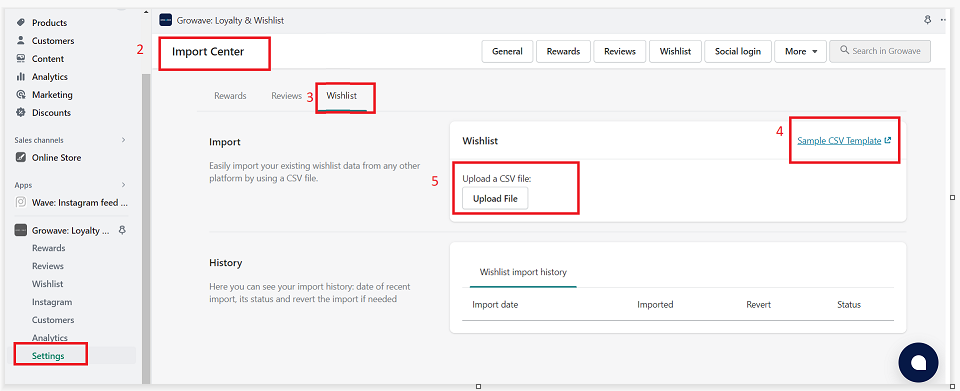
Added the functionality to import your existing Wishlists to the Growave Admin panel. Learn more here. To check the feature out:
1. In Settings, open Import Center;2. Select Wishlist;
3. Download the template CSV file and fill it;
4. Then upload the CSV file;
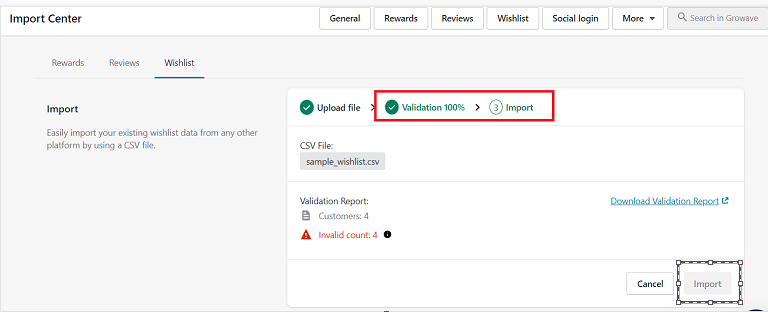
5. Pass to validation, and click the "Import" button.
Done!
Wishlist Icon in Header (Storefront)
Added new functionality that allows you to enable/disable the Wishlist icon in Header (Storefront). To check it out, go to Settings -> Wishlist -> Wishlist Icon in Header.
After enabling the setting, the heart icon will be automatically integrated into your header.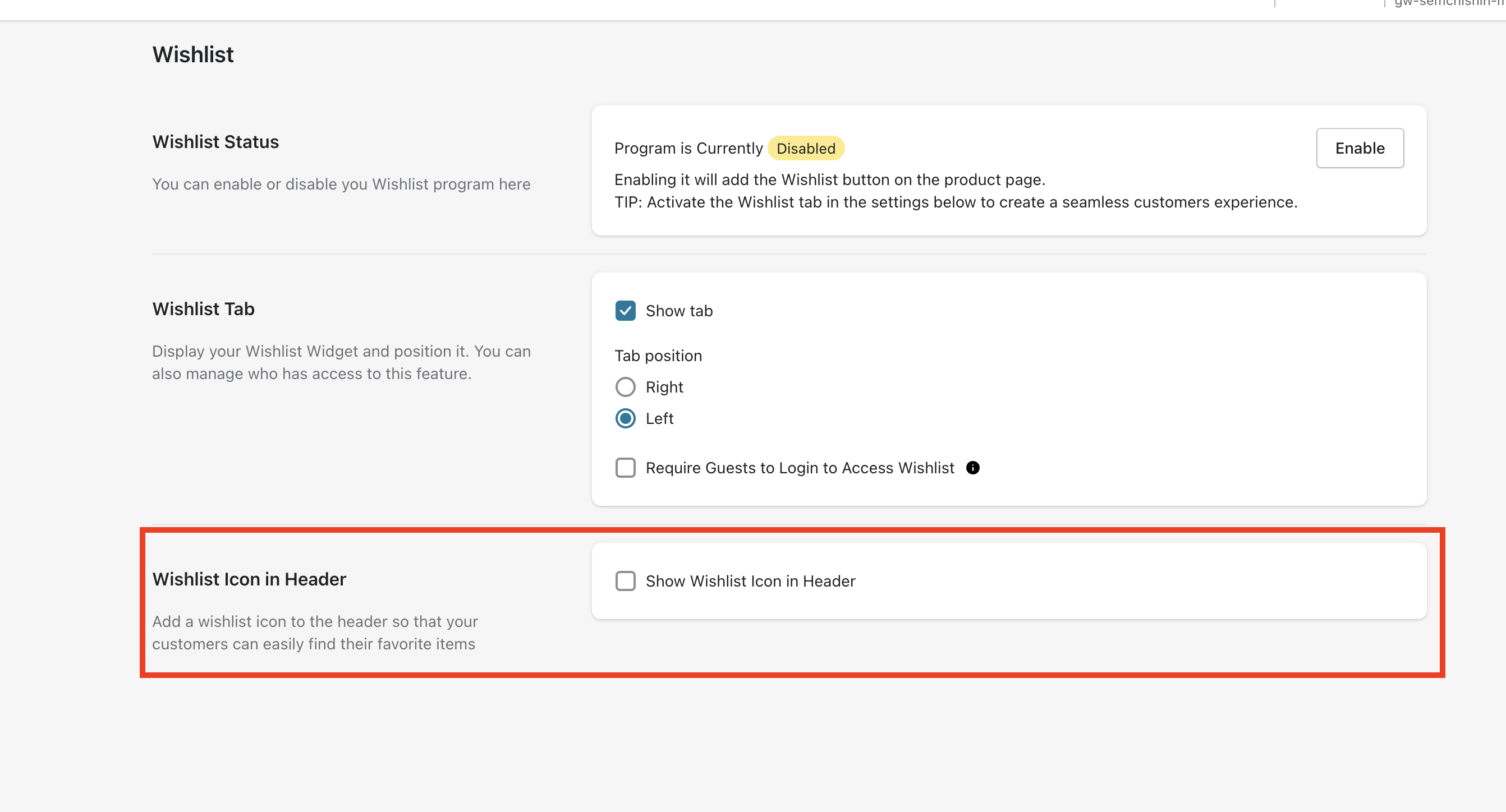
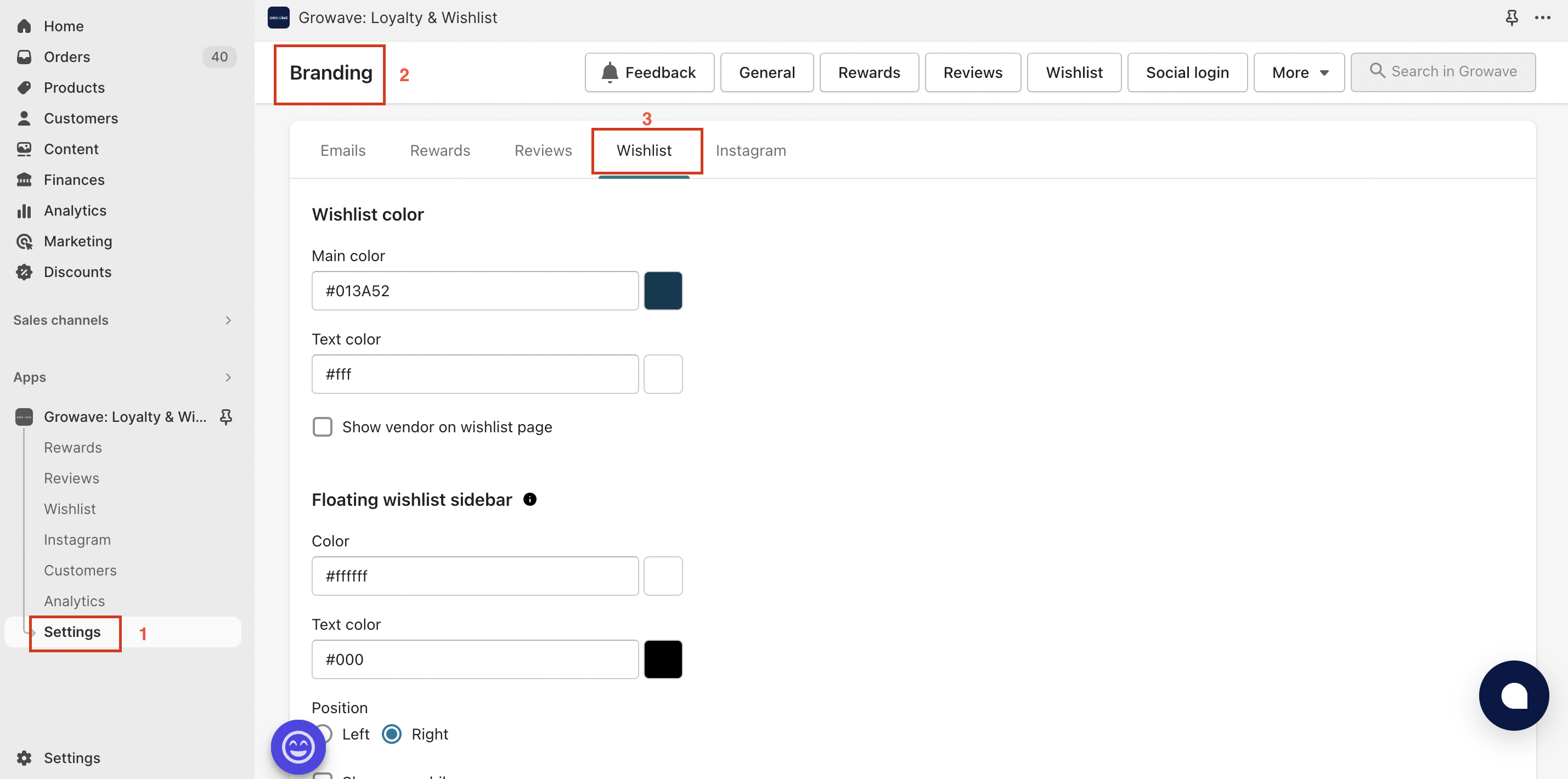
Wishlist Branding
Added functionality to customize the look of our Wishlist widgets on your site. To check it out, go to Settings -> Brand Customization -> More -> Branding -> Wishlist: